This article applies once your Yuki login has been switched over to Visma Connect.
How to change your email address
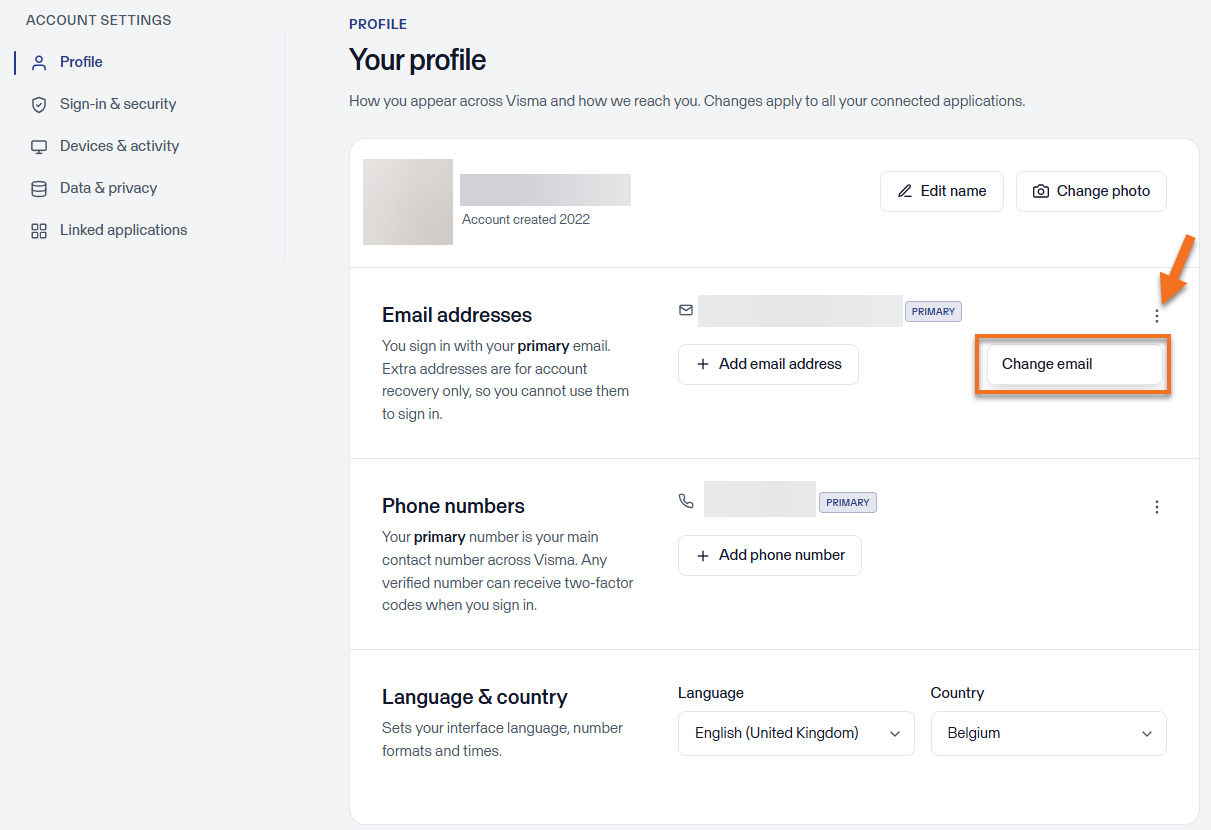
- Go to https://accountsettings.connect.visma.com/
- Click on Profile.
- Next to your email address, click the three dots and select Change email.
- You'll receive a confirmation email to complete the change. Once you confirm the change via that email, you'll log in with your new email address from then on.
Why you can’t change or edit your email address
You can’t change your email address to one that is already used as a Visma Connect login for another program within the Visma group, such as Silverfin. In this case, you will get this error message:
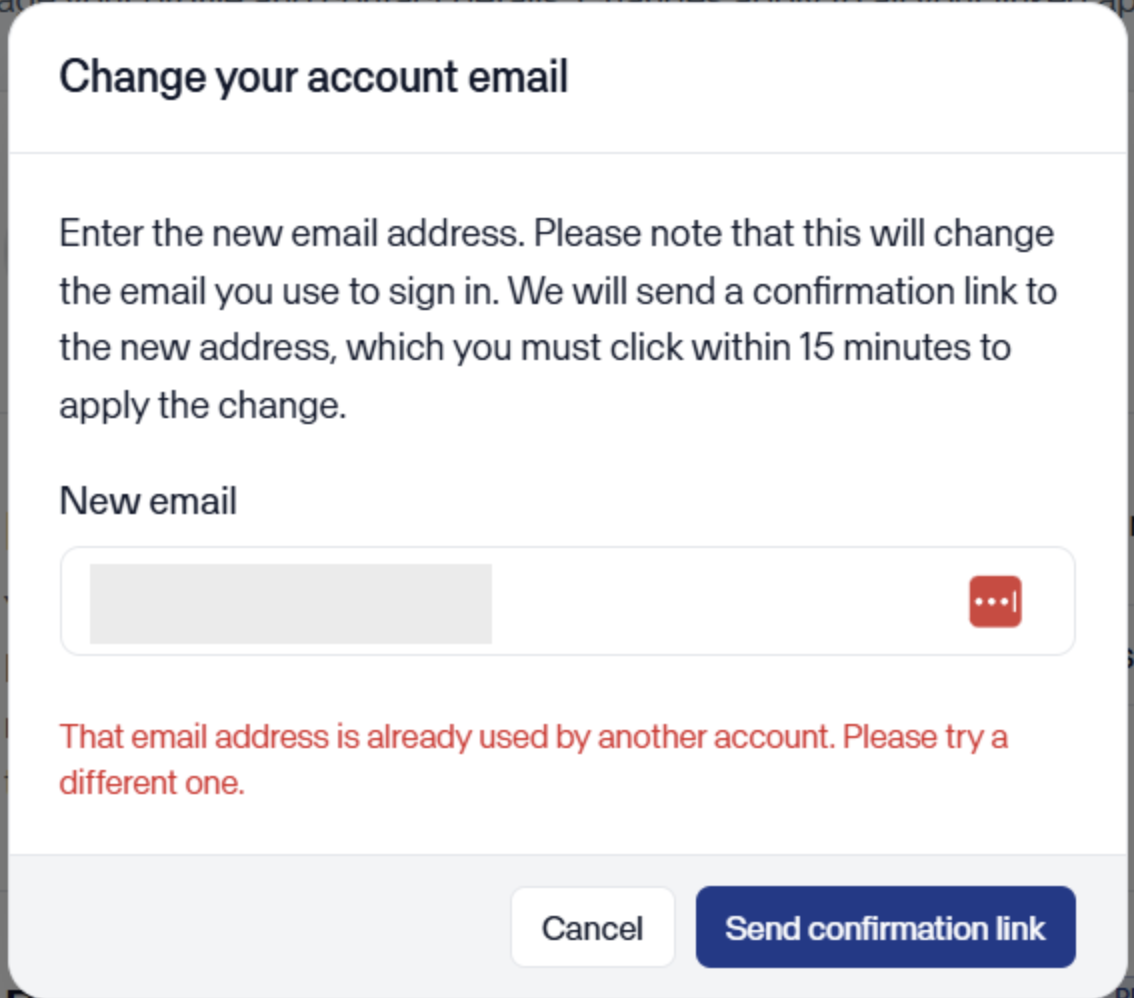
Because your user has already been created with this email address in another Visma program, the Visma platform refuses to use the same email address for your Yuki user. Right now, the two accounts are separate profiles, and you can’t overwrite your user with the details of another existing user in Visma Connect.
We can’t merge users at Visma Connect level. This could cause problems with your user roles or other permissions in the software package whose email address would be overwritten.
In this case, there are two options:
- You can keep both email addresses as separate logins. This avoids any impact on processing rules and roles in the Yuki portal or Yuki administration.
- You can create a new Yuki user in your Yuki portal or domain with the existing Visma Connect email address, so that you have everything in one singular account. You can then use the same login details for all Visma programs. However, you will need to set up certain roles and rules again that were linked to the original account.