This article applies once your Yuki environment has been switched over to Visma Connect. There are two situations: if you can still get into Yuki, change your password via your profile. If you can no longer get in, use Forgot password on the login screen.
- Changing your password while you can still log in
- Forgot your password
- Yuki asks for a new password when you log in
- What is a valid password?
- The email doesn't arrive
Changing your password while you can still log in
As an accountant
- Log in to Yuki.
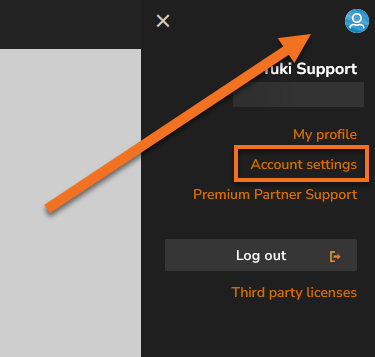
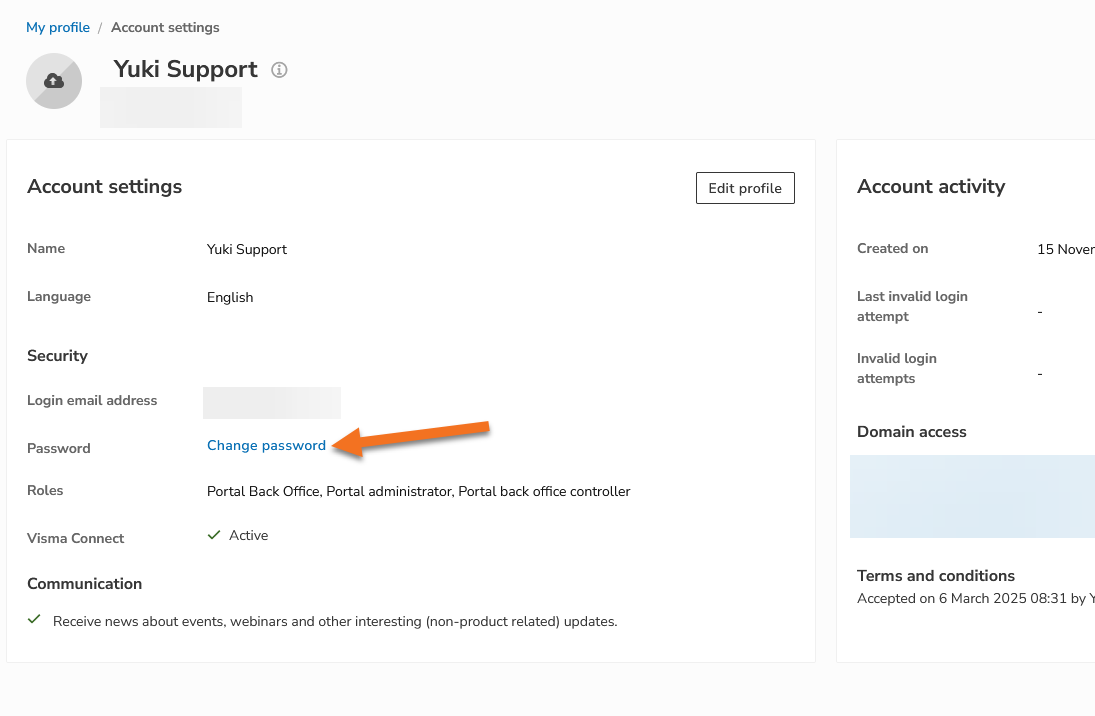
- Go to your Account Settings.
- Select the option to change your password there and follow the on-screen steps.
As an entrepreneur
- Log in to Yuki.
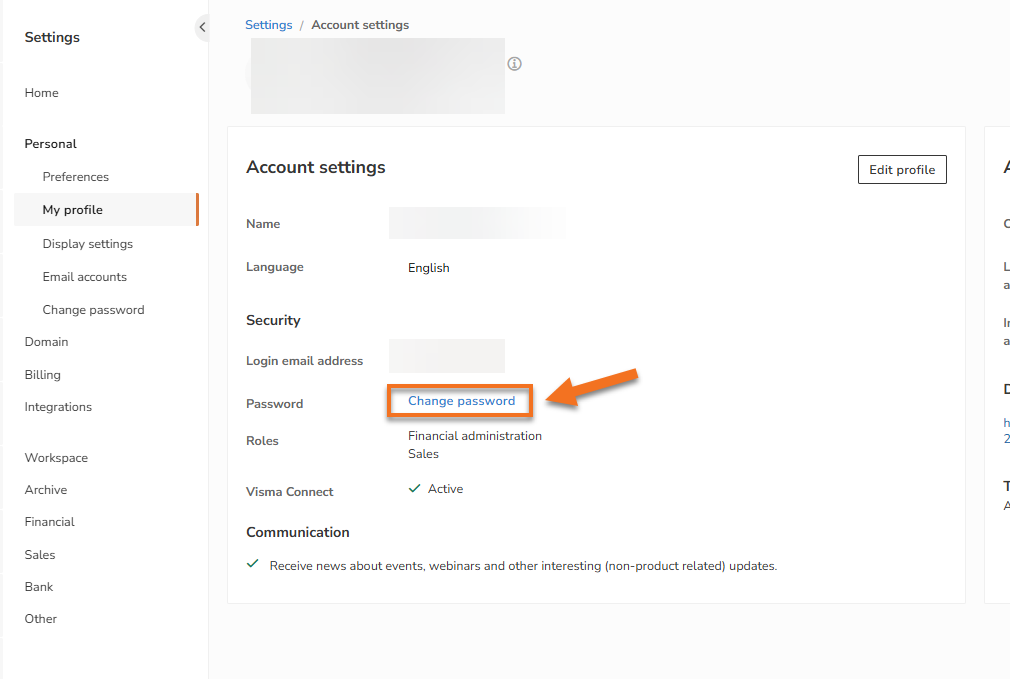
- Go to My Profile. You can do this via Settings, or by clicking the profile icon in the top right.
- Choose the option to change your password there and follow the steps on screen.
Forgot your password
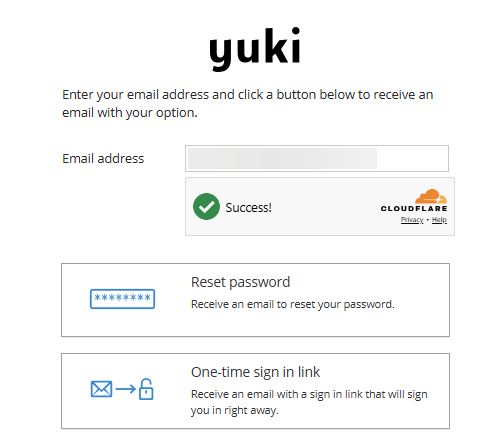
On the login screen, click Forgot password. You'll then get two options:
- a reset email, with which you set a new password yourself
- a one-time login link, which lets you log in once
If you want a permanent password right away, choose the reset email. It's sent to the email address you use to log in.
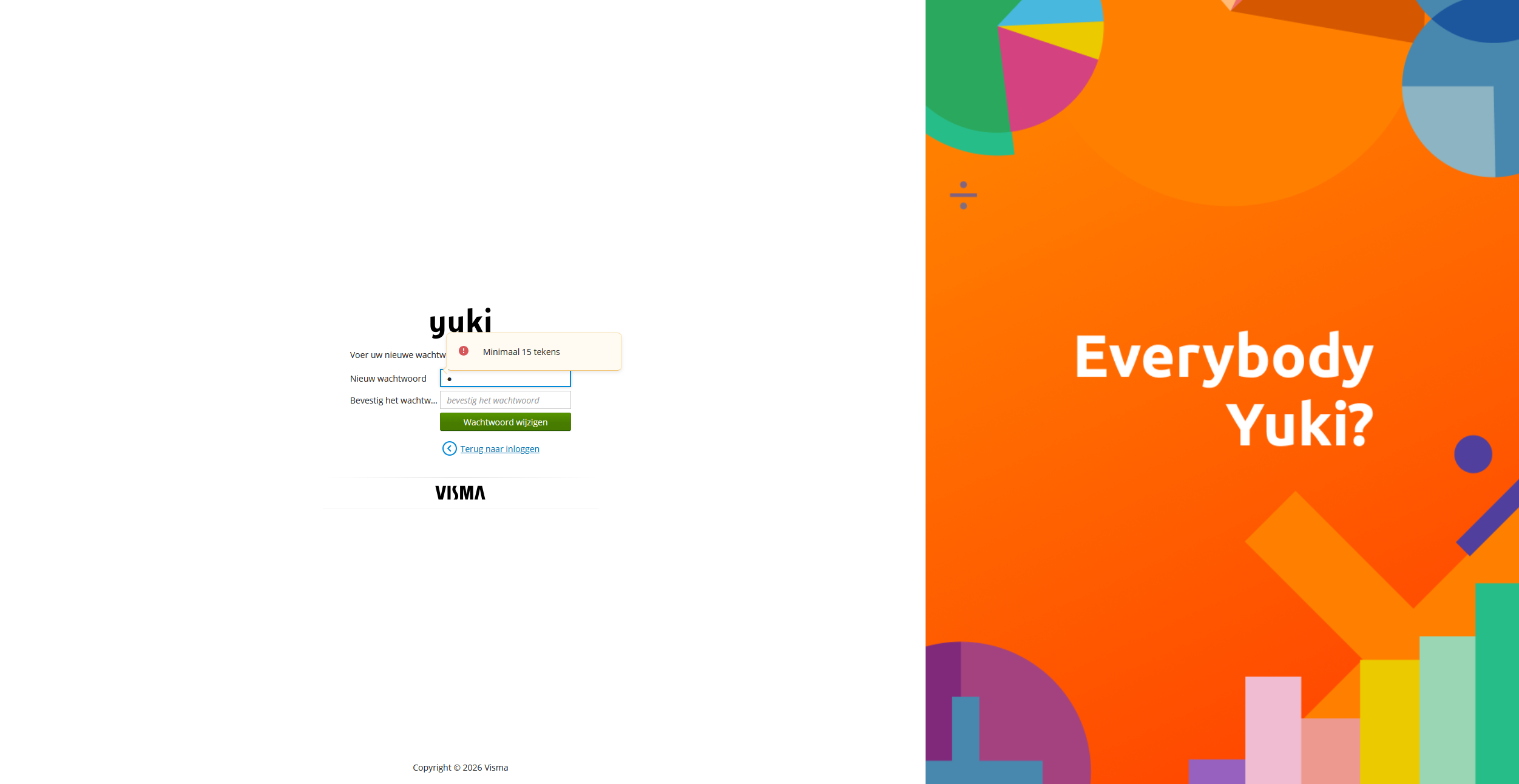
Yuki asks for a new password when you log in
This happens the first time you log in via Visma Connect, when your trusted Yuki password doesn't meet the new security requirements. It's not an error, and there's nothing wrong with your account.
You then enter:
- your new password, twice
Then click Change password and continue logging in as usual. You don't need to use Forgot password first for this.
What is a valid password?
The requirements appear on screen. Your password is only accepted once you meet all of them.
According to the current security requirements:
- At least 15 characters
The email doesn't arrive
Check the following:
- Look in your junk or spam folder.
- Make sure you requested the email at the address you actually log in with, not a second address.
- Request the email again; an older link may have since expired.
Still nothing? Email our support departement with your email address and your domain name.