What?
In Yuki, all currencies are standard available, but not all of them are standard activated.
Why?
This facilitates the use by protecting you from scrolling through an extensive list when selecting a currency. When booking a purchase invoice, you can thus easily choose from the active currencies that are relevant for the company.
How?
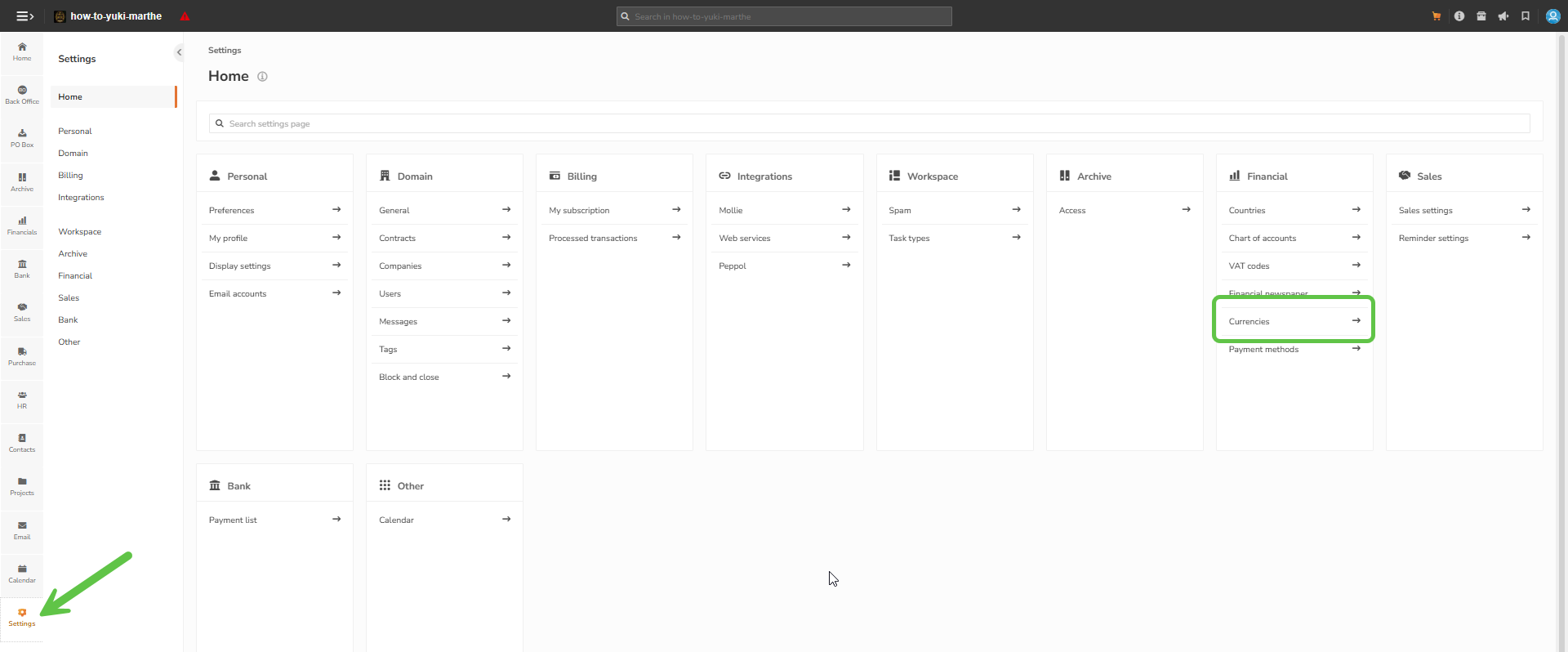
To activate the necessary currencies, you navigate to the settings by clicking on the gear at the bottom left and thus choose 'currencies' in the submenu Financial.
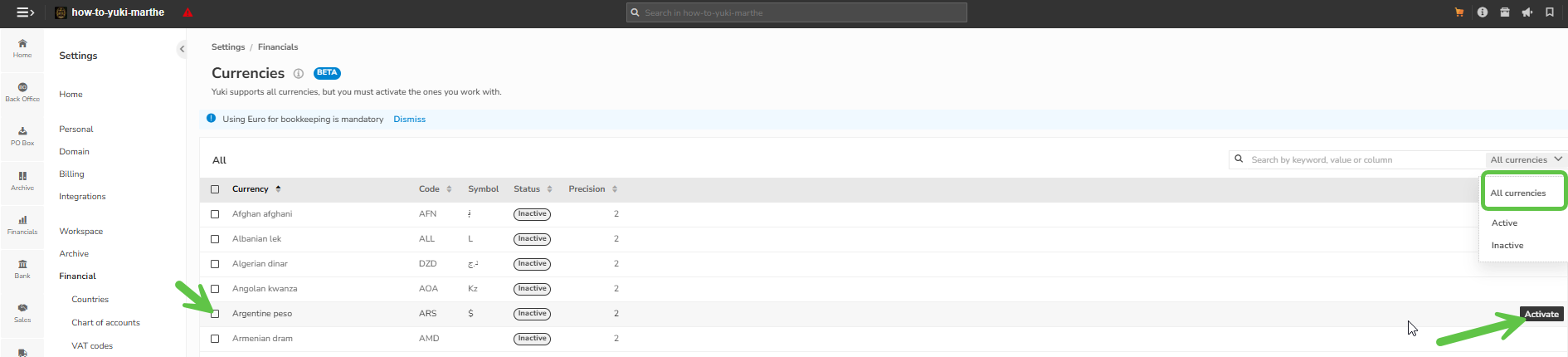
Select the desired currency and click on 'activate'. Deactivating can be done by clicking on 'deactivate'. The currency is then put back on inactive.