The login process is managed by Visma Connect, a specialised third party. This makes logging in even safer and more reliable, partly thanks to mandatory two-factor authentication.
You can use the Visma Authenticator app for this. The advantage is that the code appears immediately via a push notification on your phone, so you don't have to manually enter a code. Of course, you can also continue to use your trusted authenticator app.
Changing your password
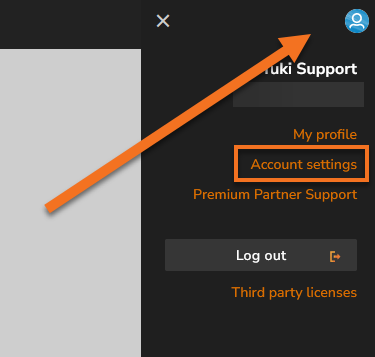
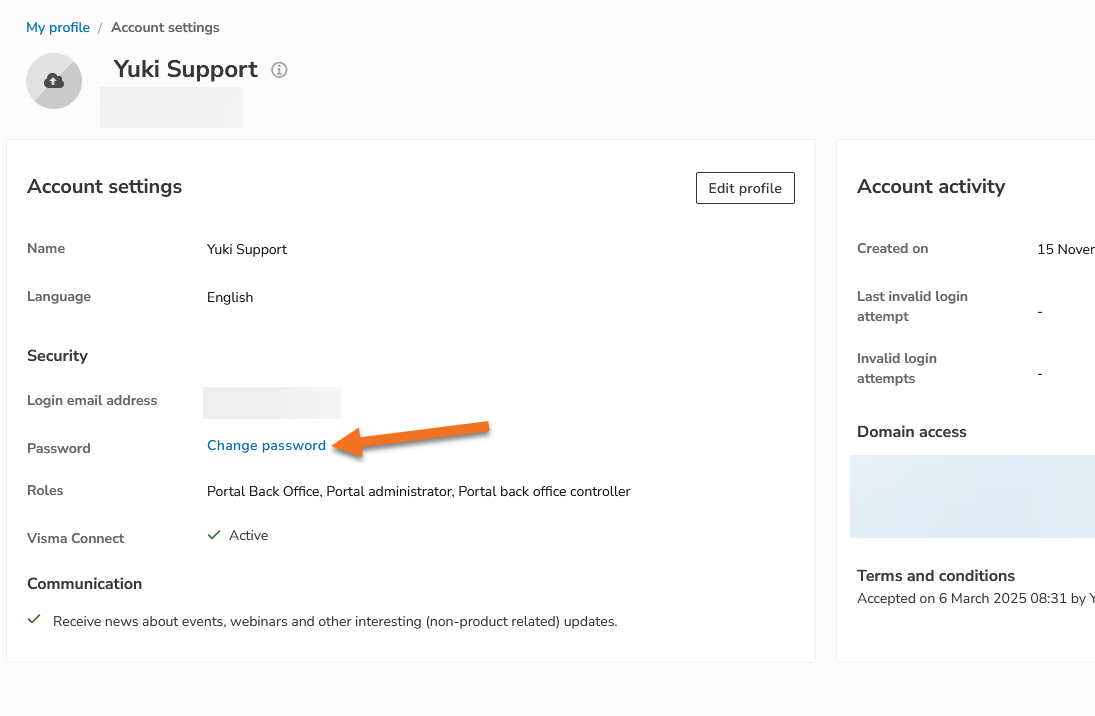
You can easily change your password yourself via your profile in the accountant portal. Log in, go to your Account settings, and choose the option to change your password.
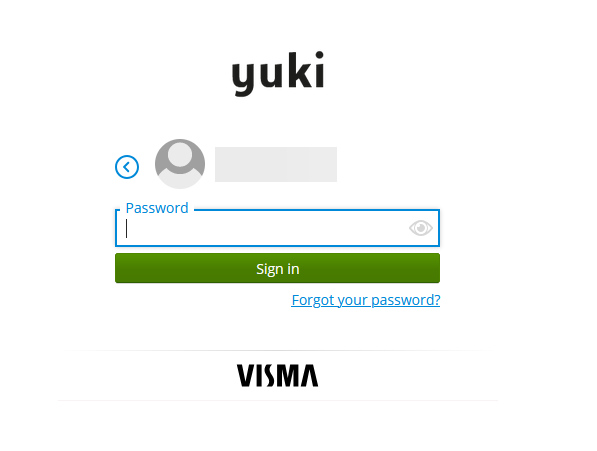
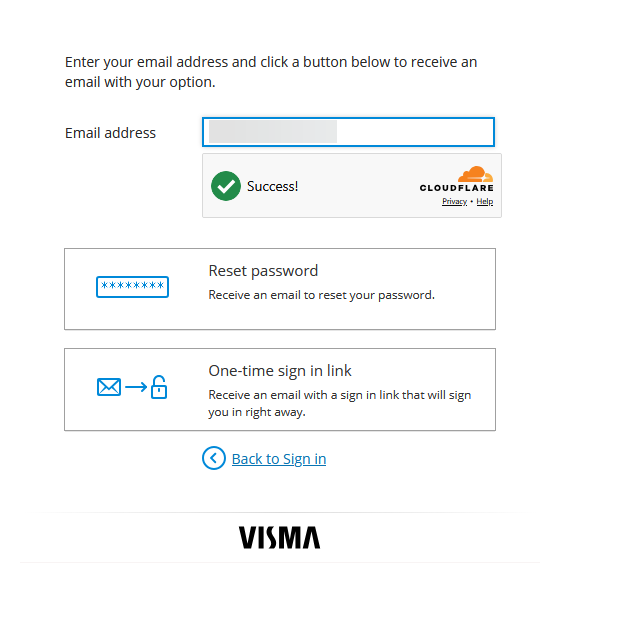
On the login screen, you can also use the 'Forgot your password' button to receive a password reset email or a one-time sign in link.
Changing your email address
Do you want to change the email address you use to log in? This isn't possible on your own via your profile. Please contact Yuki Support, and they'll help you further.
Resetting 2FA
Have you lost the device with your authenticator app, or do you want to set up 2FA again? Contact Yuki Support to arrange this for you.
Disabling 2FA
Two-factor authentication is mandatory when logging in via Visma Connect and cannot be disabled. If you have any questions about this or run into any issues, please contact Yuki Support.