Sending an invoice over the Peppol network to a GLN number is possible.
What is GLN?
A GLN stands for Global Location Number and is an internationally unique identification number that is particularly useful for larger companies with multiple locations or entities. By assigning each location or entity a separate GLN, e-invoices can be sent to the correct location/entity.
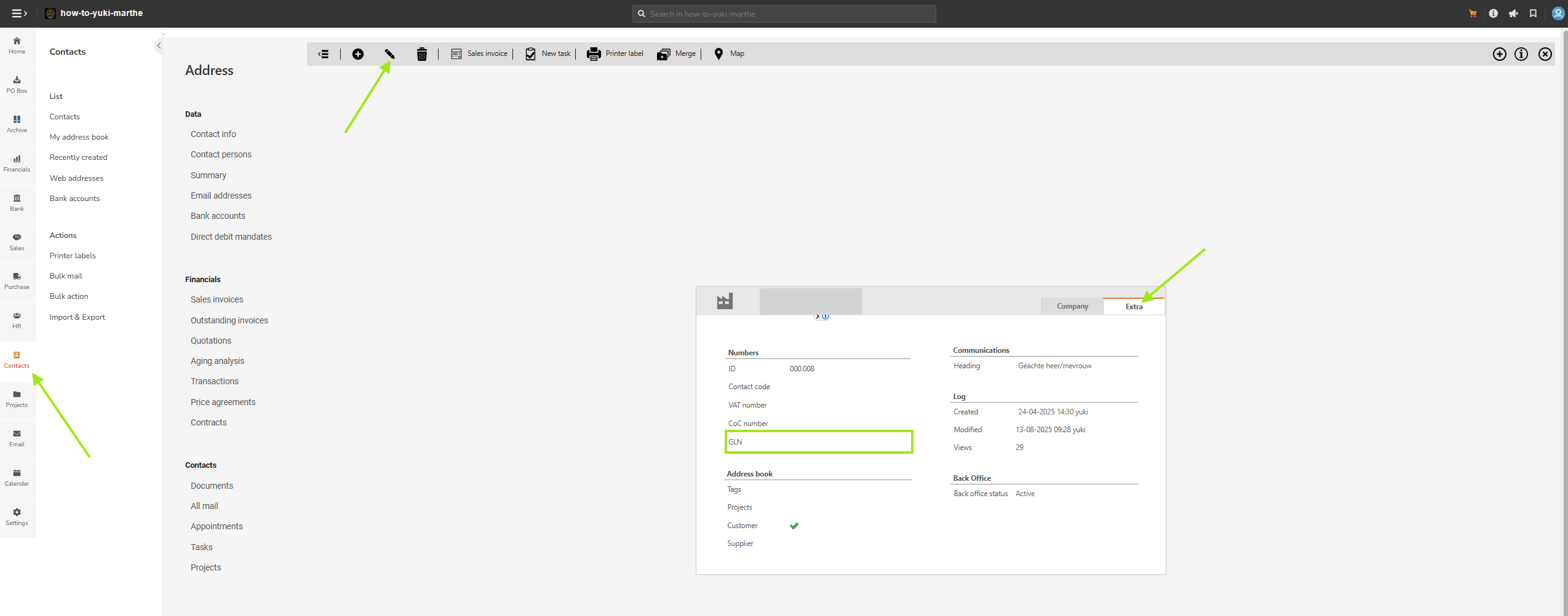
How do you add a GLN to a relation file?
- Open the 'contact' tab and open the relevant relation file.
- Go to the 'Extra' tab and use the 'Edit' button.
- The 'GLN' field is now available. Enter the GLN number of the customer here (only the 13 or 14-digit number, without adding the code '0088:'). Then click Save to store the number.
- After this, you can send an invoice via Peppol to a GLN number for this relation.